


Most people use Claude like a souped-up search engine or a clever thesaurus—a tool for fleeting tasks, not foundational work. We open a fresh window, ask a one-off question, get an answer, and close it. This approach is useful, but it barely scratches the surface of what a powerful tool like Claude can actually do.
If you’re still using Claude for simple, disconnected conversations, you’re missing out on its true potential. It’s designed to be much more than a fleeting Q&A machine. It’s a robust environment for sustained, complex projects.
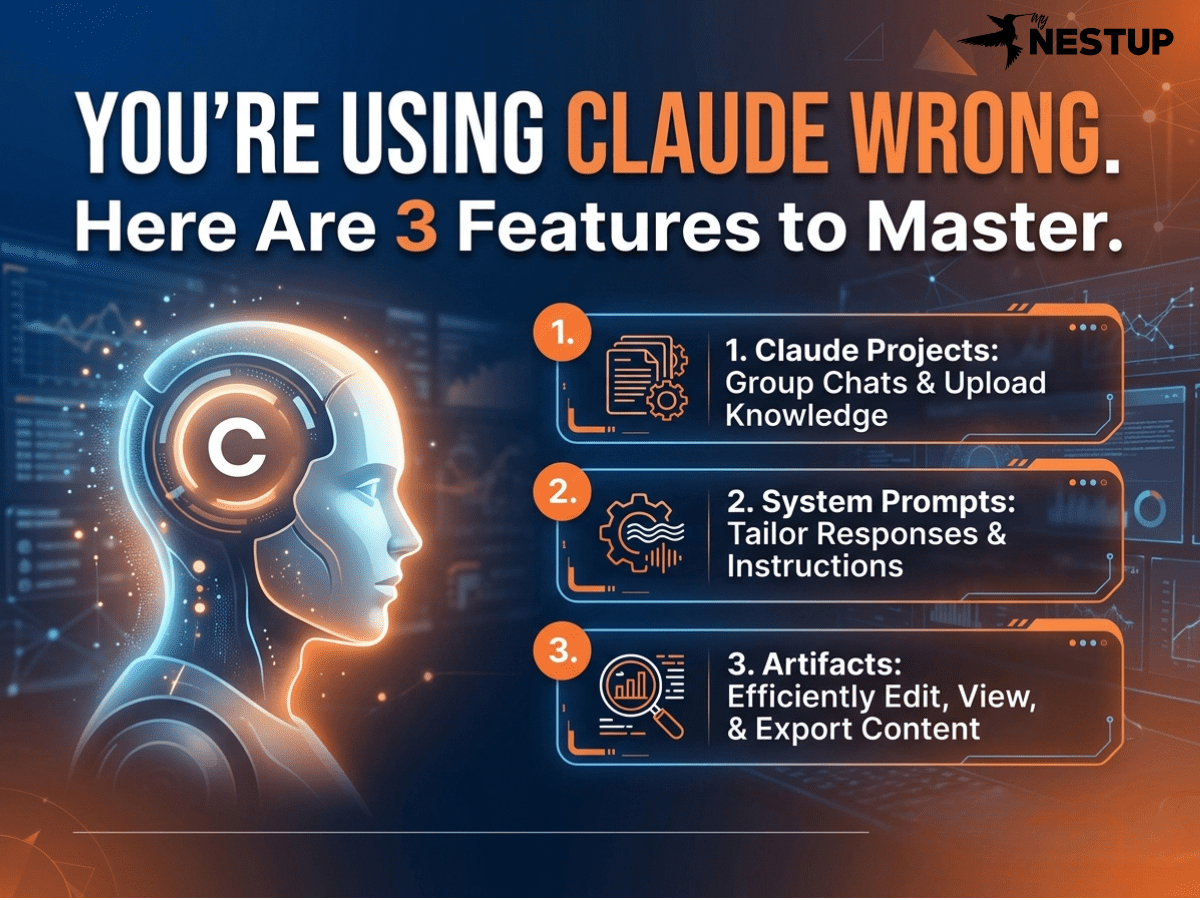
This article will reveal three powerful, lesser-known features that transform Claude from a simple chatbot into a persistent partner for deep work. By mastering Projects, Artifacts, and its massive context window, you can fundamentally change how you research, code, and create.
1. Cure AI Amnesia: Build a Permanent Memory with Projects
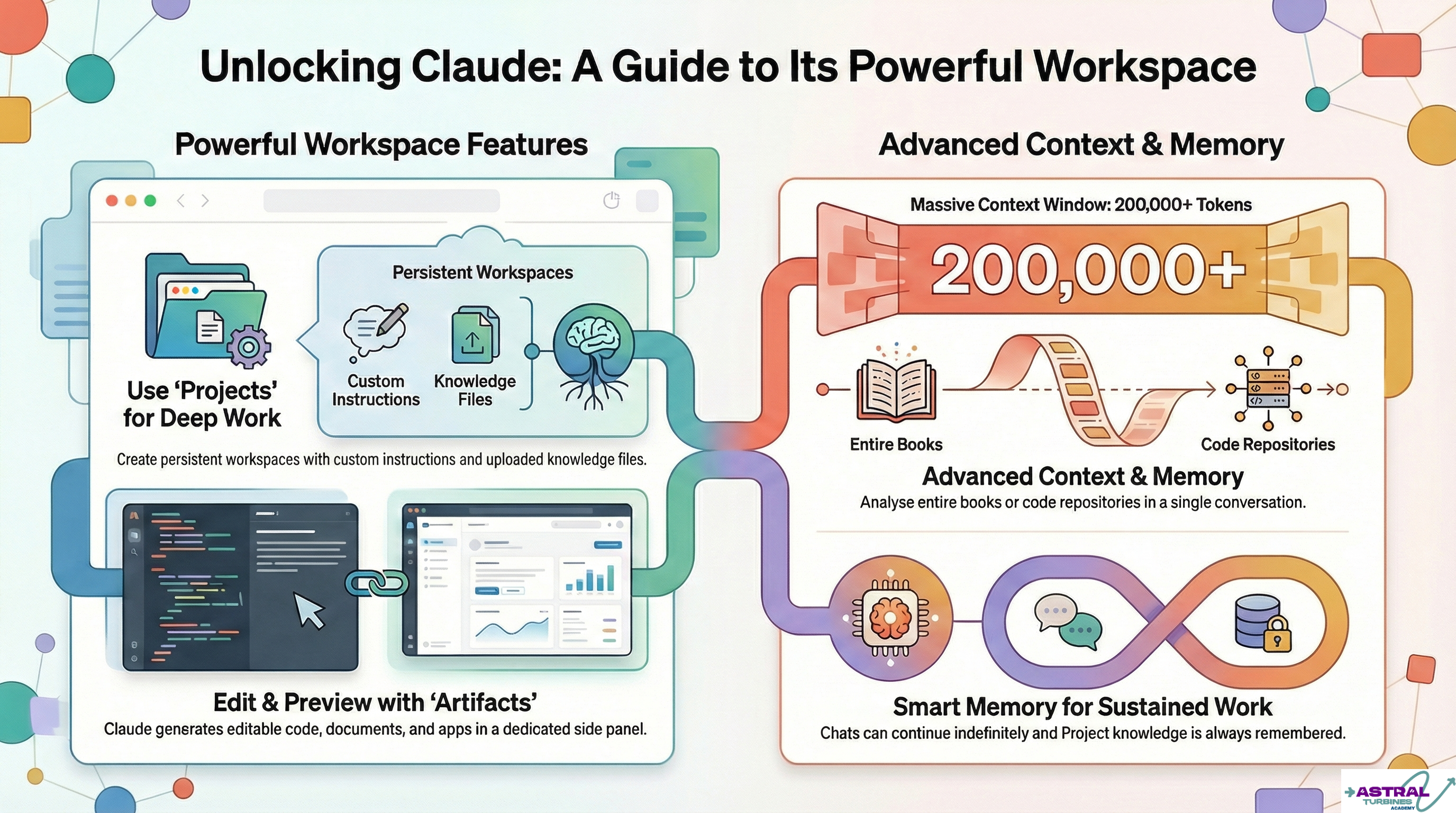
Instead of starting a new, amnesiac chat every time, Projects allow you to create dedicated workspaces for specific topics or ongoing tasks. (Note: Projects are available on Pro, Max, Team, and Enterprise plans; free users are limited to a handful.) Think of a Project as a smart folder that equips Claude with a permanent memory and custom instructions for a particular job.
The true power of Projects lies in two core capabilities:
- Custom Instructions: You can provide a global prompt that applies to every single chat within that Project. For example, you can instruct Claude to always respond in a specific tone, adhere to a coding style, or act as a particular expert.
- Knowledge Files: You can upload relevant documents—PDFs, code files, style guides, research papers—directly into the Project. Claude automatically references this knowledge base in every conversation, so you never have to re-upload files or remind it of the context.
Why it’s a game-changer: This feature completely eradicates the “amnesiac AI” problem. A Project turns Claude into a consistent, knowledgeable partner for long-term work. Whether you’re analyzing a complex codebase or ensuring all marketing copy adheres to a specific style guide, Projects provide the persistent context needed to do the job right. For teams, this becomes a collaborative engine room where members can share Projects, work together on chats, and maintain a single source of truth for the AI’s knowledge base.
Pro Tip: For any ongoing work, start in a Project. It gives Claude a persistent memory and consistency that you won’t get in a regular chat session.
2. Stop the Copy-Paste Cycle: Edit and Iterate with Live Artifacts
When you ask Claude to generate substantial content like code with live previews, interactive prototypes, data dashboards, or detailed documents, that output doesn’t just get lost in the chat log. This content, called an “Artifact,” populates a dedicated, interactive panel right next to your conversation.
This isn’t just a static text box. The Artifacts panel is a live, editable environment where you can:
- Edit content directly, just like in a text editor.
- Preview results instantly, such as seeing a live render of HTML and CSS code.
- Access a version history to track changes over time.
- Publish or share your creations directly.
- Add the Artifact to your Project’s permanent knowledge base, teaching the AI with its own best work.
Why it’s a game-changer: Artifacts shatter the obsolete workflow of prompt -> copy -> paste -> edit elsewhere. It creates a dynamic, iterative loop entirely within the Claude interface. You can ask Claude to “change the color of the header to blue,” watch it happen in the live preview, and then save that final code back into the Project’s core knowledge. This transforms a clunky, multi-app shuffle into a seamless and powerful collaborative creation session between you and the AI.
3. Say Goodbye to AI Amnesia: Leverage Claude’s Massive Memory
One of Claude’s defining strengths is its ability to handle enormous amounts of information in a single conversation. Its standard context window is up to 200,000 tokens, which translates into an enormous capacity—roughly 500 pages of text in a single go. And for enterprise users on the cutting edge, some models are already in beta with a staggering one-million-token context window.
Furthermore, Claude features “Infinite-length Chats.” When a conversation gets exceptionally long and approaches the context limit, the model automatically summarizes the older parts of the discussion. This clever mechanism allows you to continue a conversation indefinitely without ever hitting a hard cutoff where the AI starts forgetting what you talked about earlier.
Why it’s a game-changer: This isn’t just a bigger memory; it’s a fundamental shift in the scale of problems you can solve with AI. You can upload and analyze an entire book, a full code repository, or a lengthy annual financial report and ask questions about the material as a whole. When you combine this massive context window with the persistent knowledge in Projects and the iterative power of Artifacts, you create a truly integrated development environment for your ideas. The model stays on track, eliminating the frustrating “forgetting” issues common in other tools.
Conclusion: Your New Partner for Deep Work
Viewing Claude as a simple question-and-answer tool is like using a supercomputer as a calculator. The true value lies in features that support sustained, complex, and iterative tasks.
By building persistent workspaces with Projects, iterating seamlessly with live Artifacts, and leveraging a massive memory that doesn’t forget, you elevate Claude from a simple assistant to a powerful platform for “deep work.” It becomes a partner that can maintain context, collaborate on complex creations, and help you tackle projects that were previously too cumbersome for an AI.
Now that you know these tools exist, what complex project will you tackle first?